
Create an AI editorial plan
The Planner turns a short brief into a complete editorial plan. You choose the client, the networks and the rhythm; Juls drafts a post for every slot. Nothing is shared or scheduled until you review the drafts and decide what to do with them.
Before you start
- A client. Juls writes from the client's brand profile: industry, audience, tone of voice and keywords. The more of it you fill in, the closer the drafts get. See Personalize a client: brand kit.
- Networks. You can plan before connecting any account: when a client has no connected accounts, the Planner offers the networks listed on the client's profile. To schedule the finished plan, the client needs connected accounts — see Connect your social accounts.
- Some AI credits. About 45 for a month of posts, far less than a website analysis. See Credits.
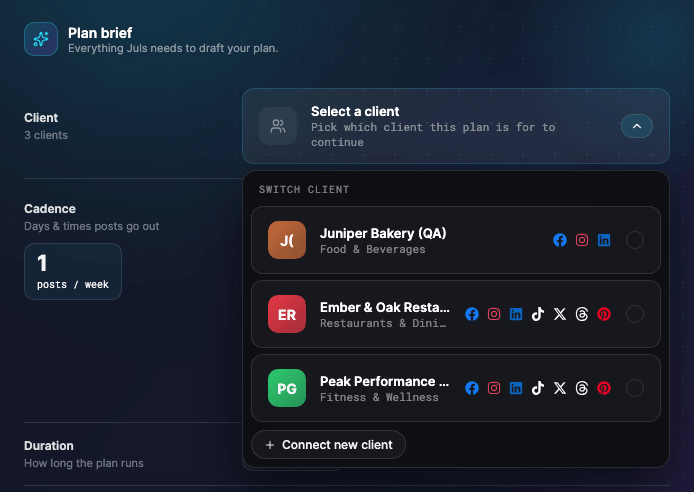
Choose the client
- Open Planner from the sidebar.
- Pick the client. The networks and the rest of the form appear once a client is selected.
Networks, cadence and duration
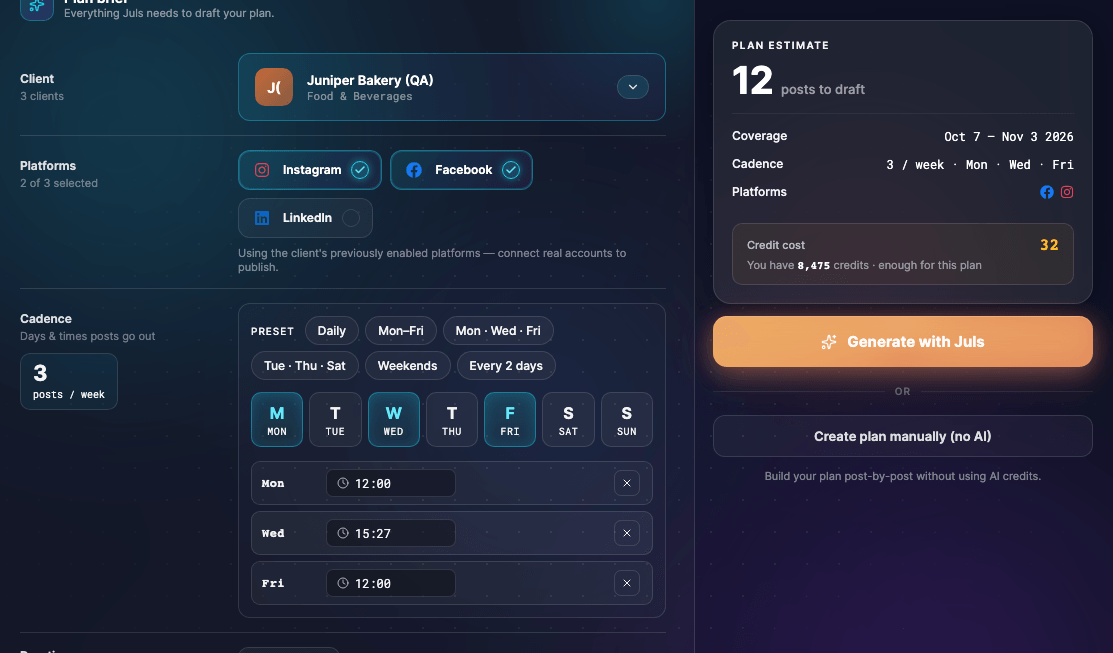
- Platforms — select one or more networks. If you include Pinterest, also choose the board the pins should go to.
- Cadence — choose the days of the week and a time for each day. The number of posts per week follows from the days you pick.
- Duration — from one to three months. Each month counts as four weeks, so three days a week for two months gives 24 posts.
- Start date — the plan can start tomorrow at the earliest; the first post goes out on the first matching day. Any slot less than 24 hours away is skipped.
The plan estimate panel next to the form sums it up: how many posts Juls will draft, the period they cover, the cadence and the networks.
Write the brief
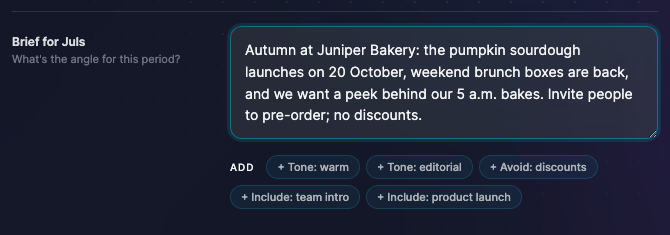
The brief tells Juls what this period is about. Write it the way you would brief a colleague:
- name the angle — a launch, a season, an offer, an event;
- add anything Juls can't know — dates, prices, a product name, what to avoid;
- be specific: "spring menu launch on 14 April, focus on the three new dishes" beats "restaurant posts".
The suggestion chips under the brief add ready-made ideas you can edit.
Credits
Plan generation costs roughly 20 credits, plus about 1 per post: about 45 credits for a 24-post plan. The Planner shows the estimate before you generate and checks that your balance covers it; the final charge is based on what the generation actually used. Editing a draft by hand is free; asking Juls to rewrite one uses about 10 credits, more when Juls also reads the post's images.
Prefer to work without AI? Choose the option to create the plan manually and add the posts one by one. It uses no credits.
For every cost, see AI credits and usage.
Generate
Select the generate button. Juls drafts the plan and shows its progress; you can cancel while it works. When it finishes you land on the review screen.
Review the drafts
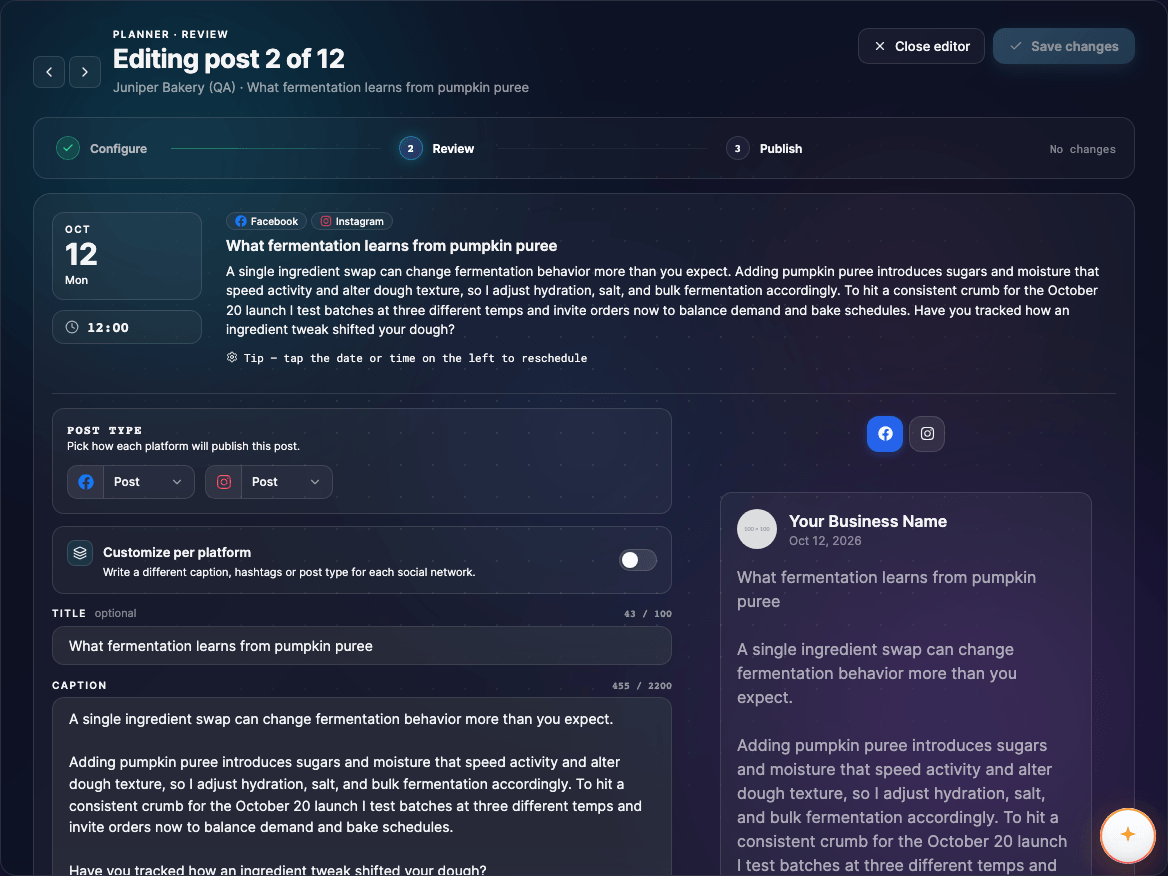
Every post Juls writes is a draft with a title, a caption and hashtags. Juls writes the text only: add images or video to each post yourself.
- Edit a post to change its text, media or date.
- Rewrite with Juls to have a single post redone in the brand's voice.
- Delete posts you don't want, or add your own.
- Switch between the timeline, grid and calendar views to check the balance of the month.
- Regenerating the plan discards every draft and takes you back to the brief.
A post marked as needing a fix can't be saved until you correct it.
Save it or send it
You have two ways out of the review screen:
- Save as draft keeps the plan for later. You'll find it on your dashboard and in the client's plans.
- Send to client for review emails your client a private review link. Every post must be at least 24 hours away, and all media uploads must have finished. The client's email address is filled in from their profile; check it, then send.
What the client sees, and how approvals and feedback come back to you, is covered in Client review and approval.
Tip
Plan dates closer than 24 hours block sending. Move those posts to a later date, or start the plan a few days out.